
BattleLab: one deck for every AI coding agent
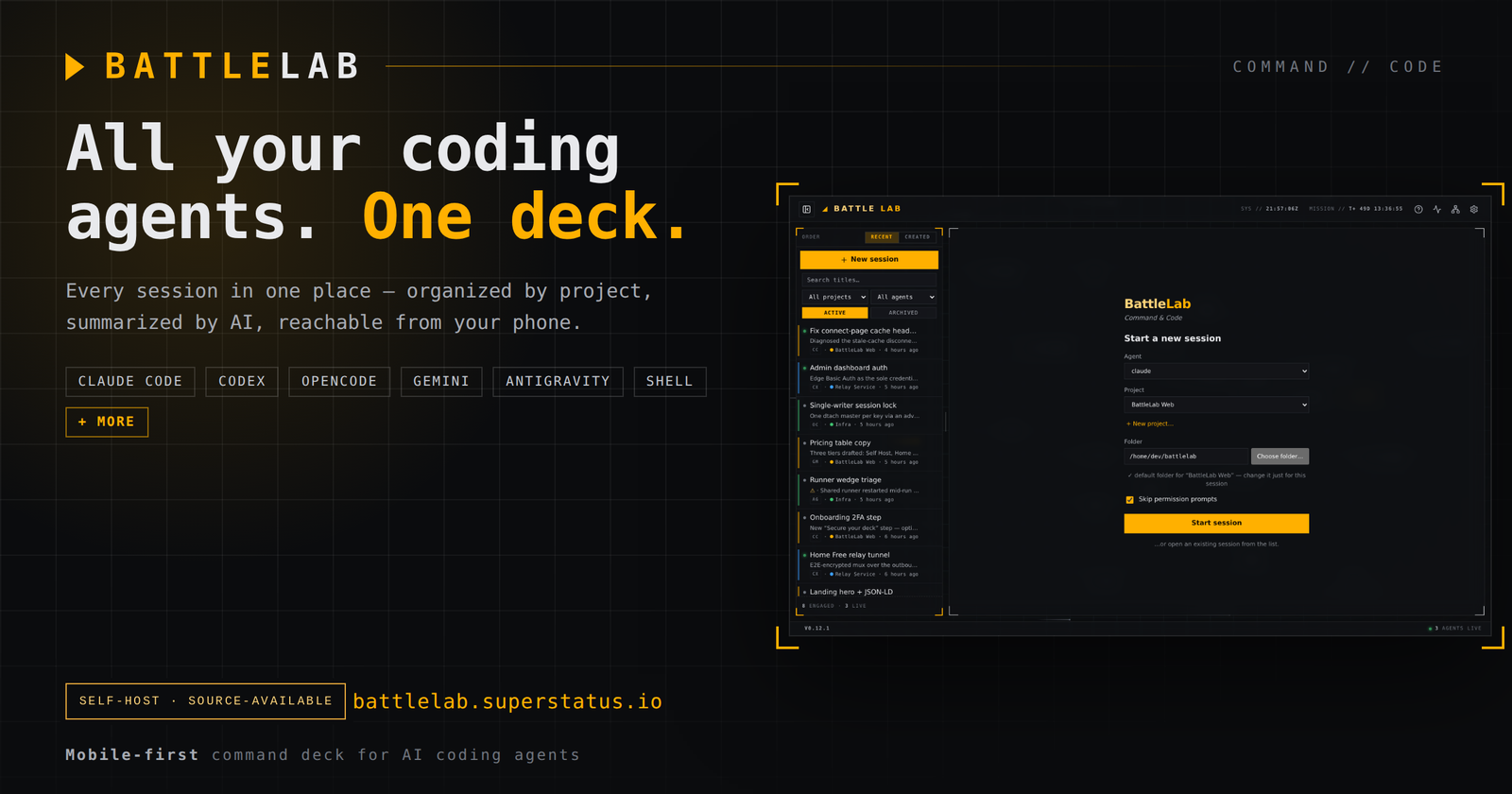
AI coding agents are multiplying. You've probably got Claude Code open in one terminal, Codex in another, and maybe opencode, Gemini or Antigravity running on a box you SSH'd into last week. Each one is a separate session in a separate window — a separate thing to remember. Close the terminal and you lose the thread.
BattleLab is a self-hosted, mobile-first command center that puts every one of those sessions on a single deck — organized by project, summarized by AI, and reachable from your phone.
Every agent, one deck
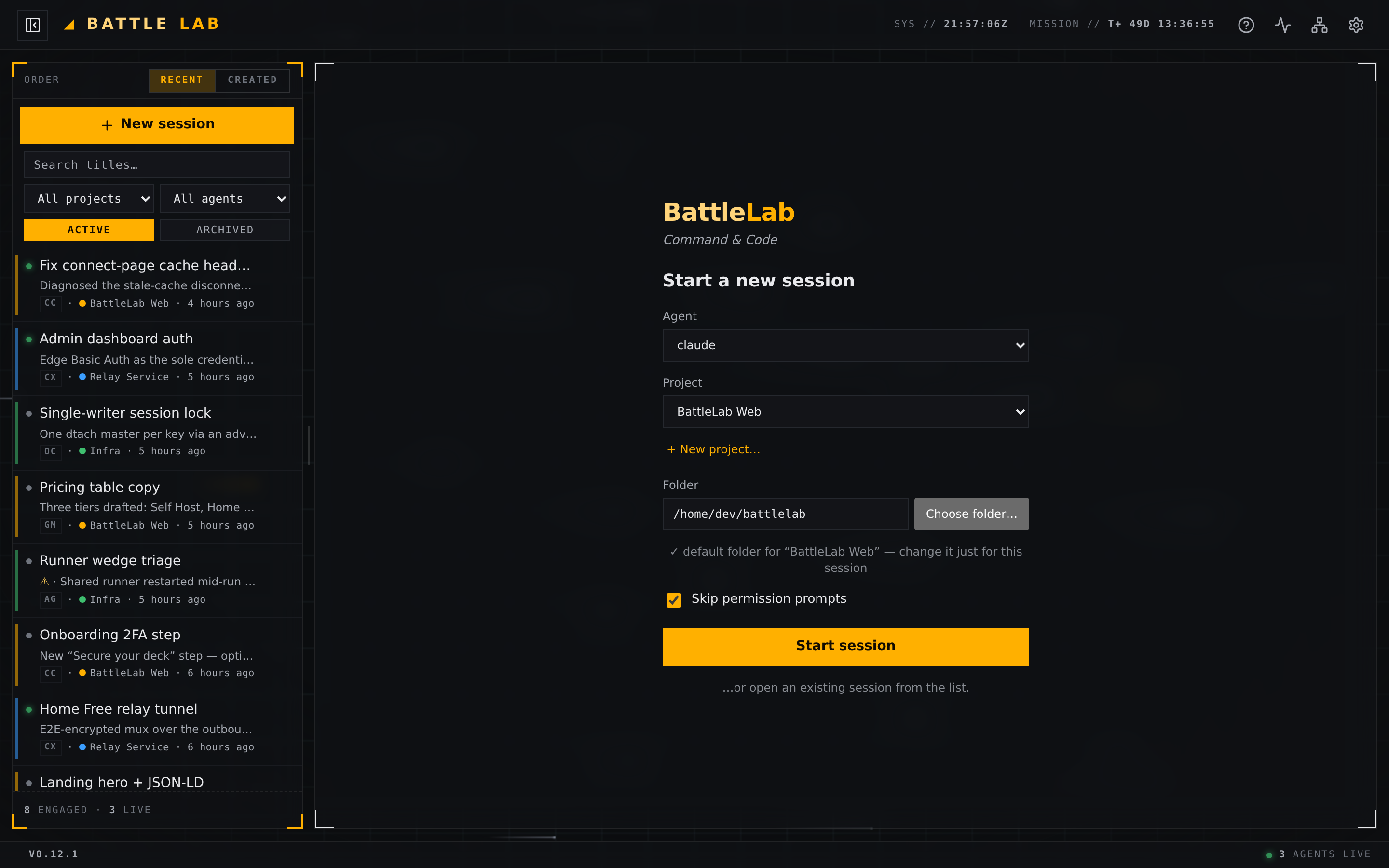
BattleLab discovers your coding agents — Claude Code, Codex, opencode, Gemini, Antigravity, plus plain shells, and whatever you plug in next — and lists every session in one sidebar, grouped by project, tagged with a per-engine badge, filterable and searchable. Each row carries a live status LED and a one-line AI summary of what that session is actually doing, so you can tell at a glance which agent needs you.
Sessions are persistent by design: each runs in a self-owned dtach/ws terminal that survives reboots, redeploys and dropped connections. A single-writer lock guarantees one session is only ever driven from one place — no double-resume, no clobbered output.
AI that triages the fleet for you
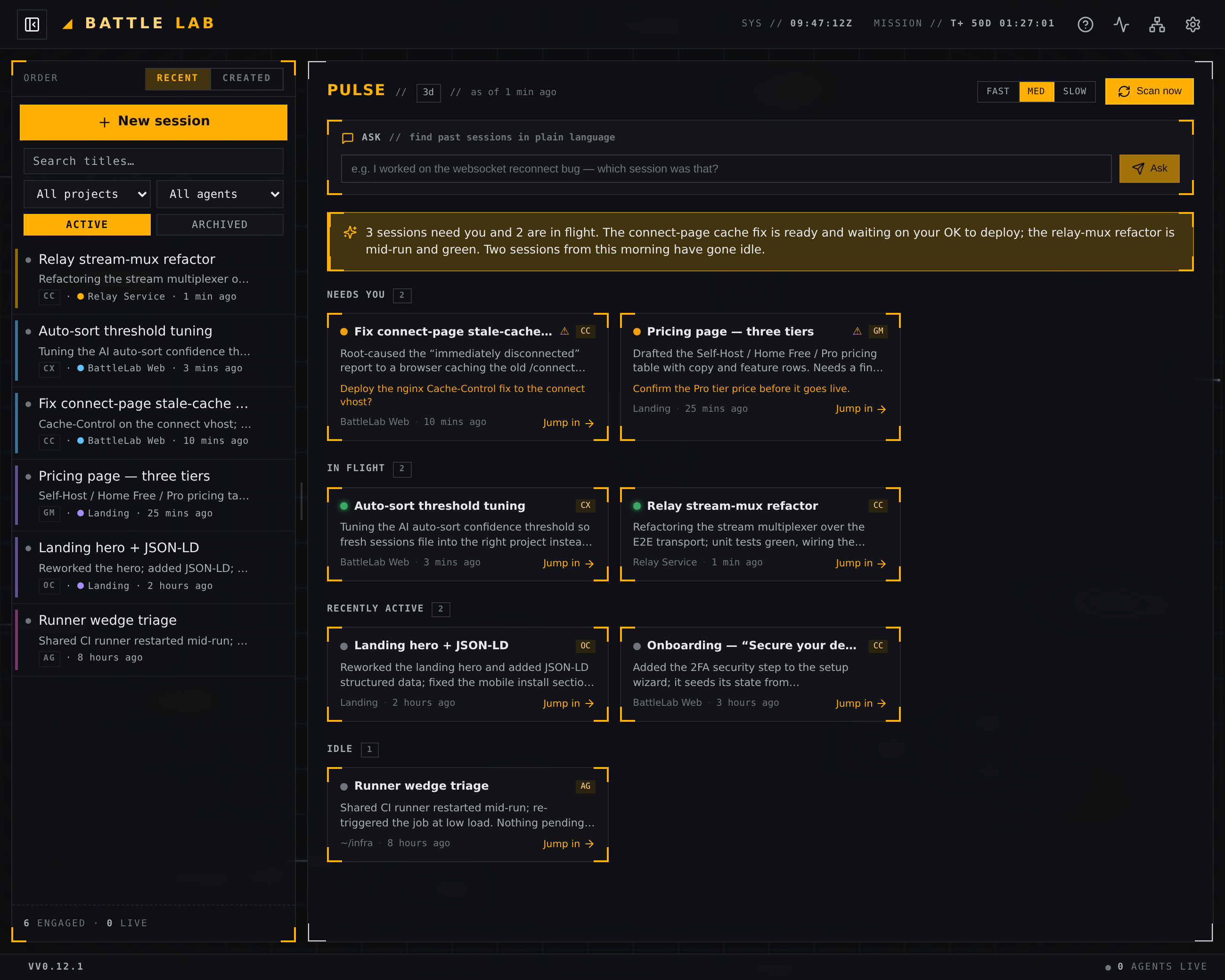
An AI reviewer reads every running session and writes that one-line summary on each row — and Pulse rolls the whole fleet into a single "here's what needs you" read: what's blocked, what's in flight, what's gone idle, each one click from jumping back in. Point it at any OpenAI-compatible endpoint, even a local model. Triage a dozen agents without scrolling a single transcript.
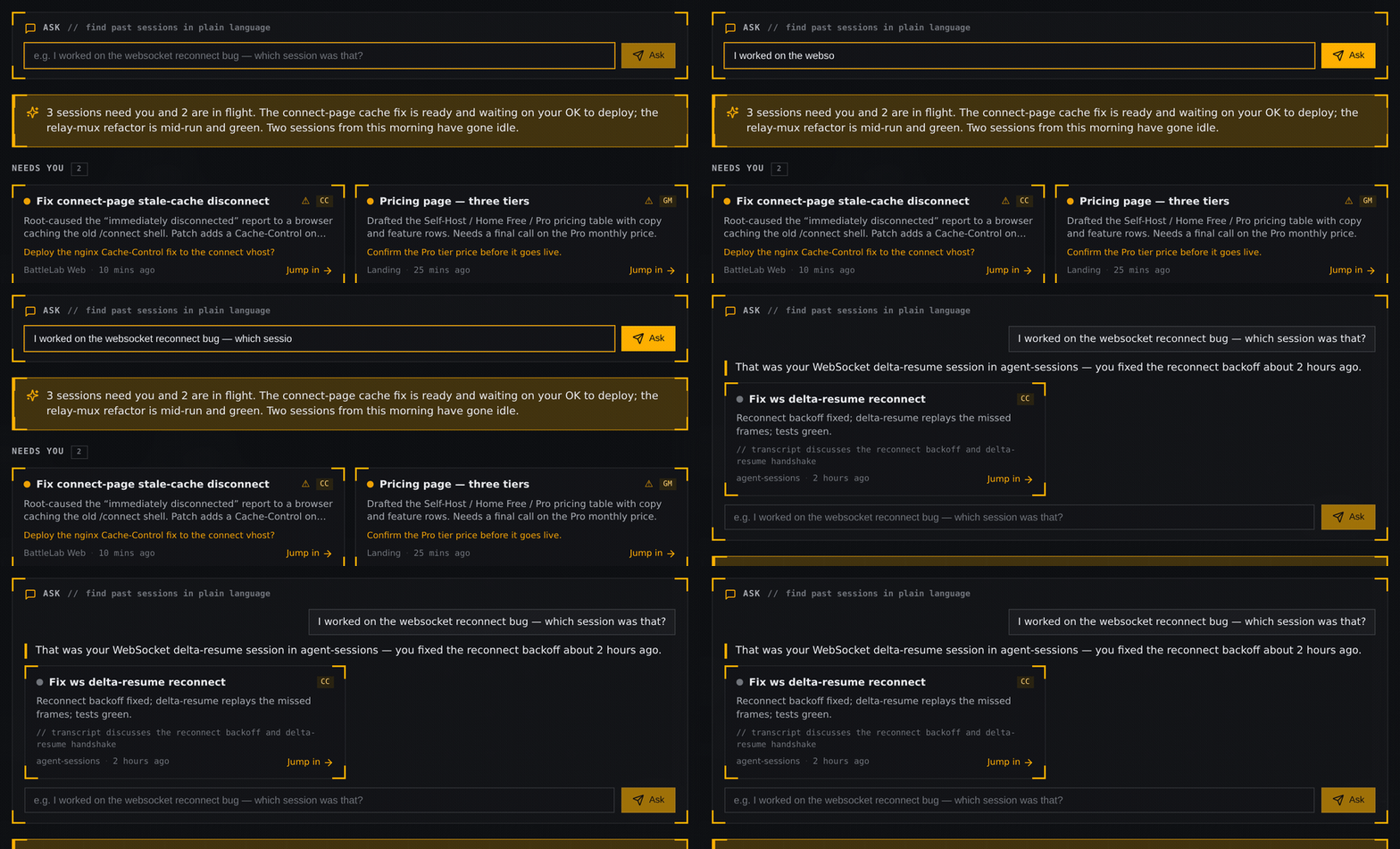
And when you can't remember which session had the thing — Ask finds it in plain language. Describe the work the way you'd say it out loud — "the websocket reconnect bug" — and Pulse searches across your sessions and hands back the exact one, with a one-line reason it matched and a jump-in link.
A tactical map of your work
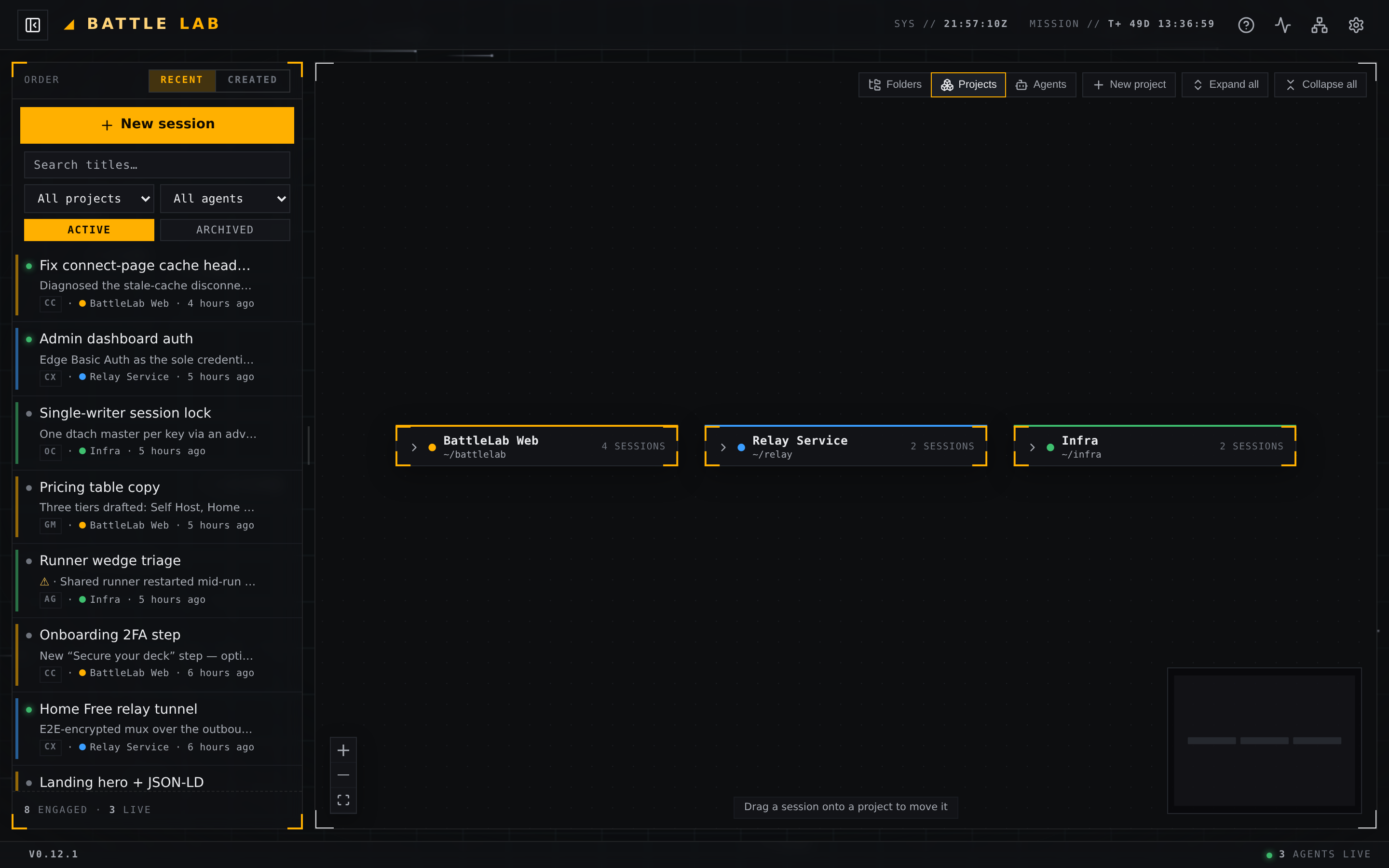
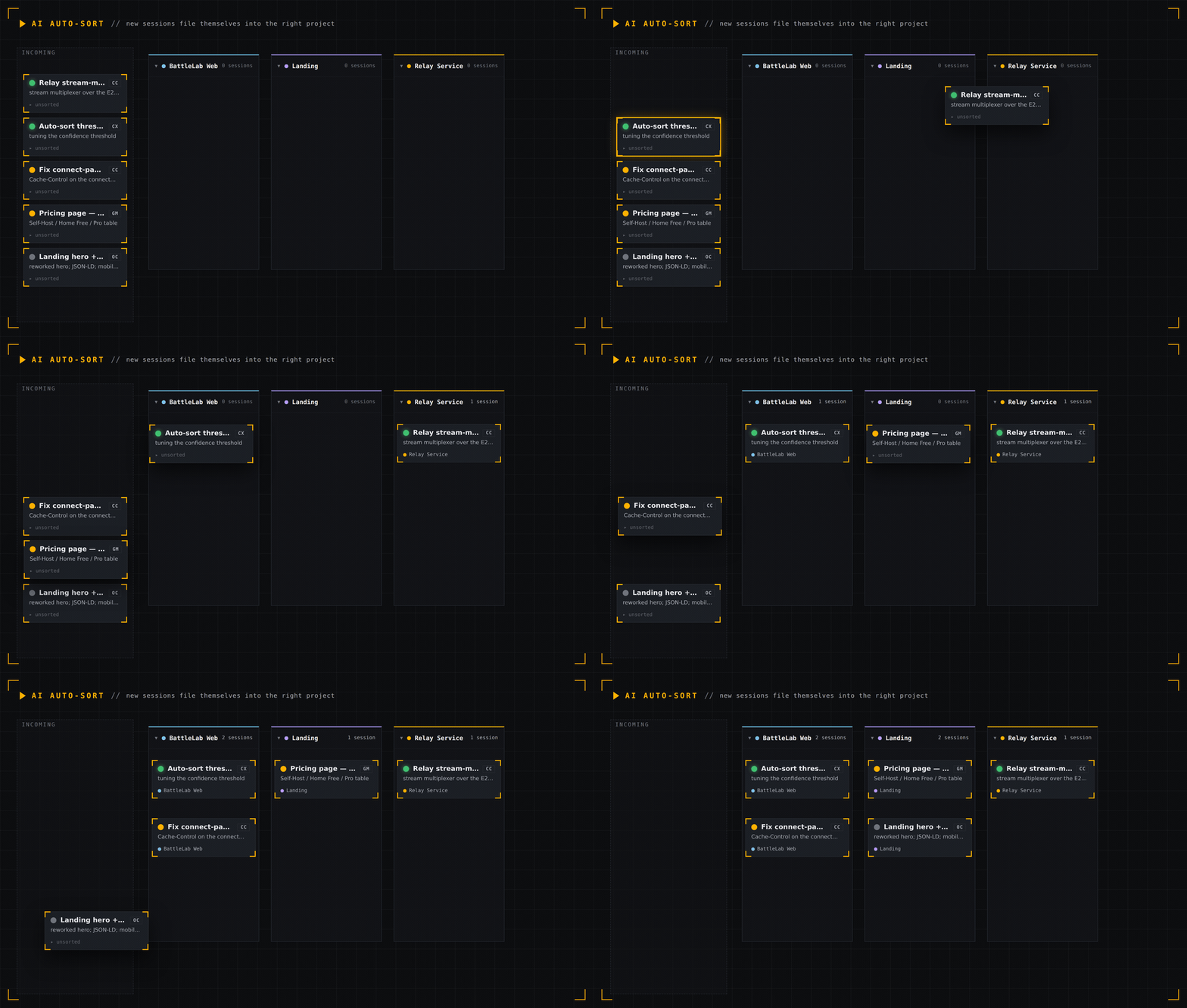
The overview is a live map of every session, grouped into project clusters. Drag a session onto a project to reassign it; new sessions file themselves with AI auto-sort. It's the fastest way to see the shape of everything you have running.
Home Free — reach your box from anywhere
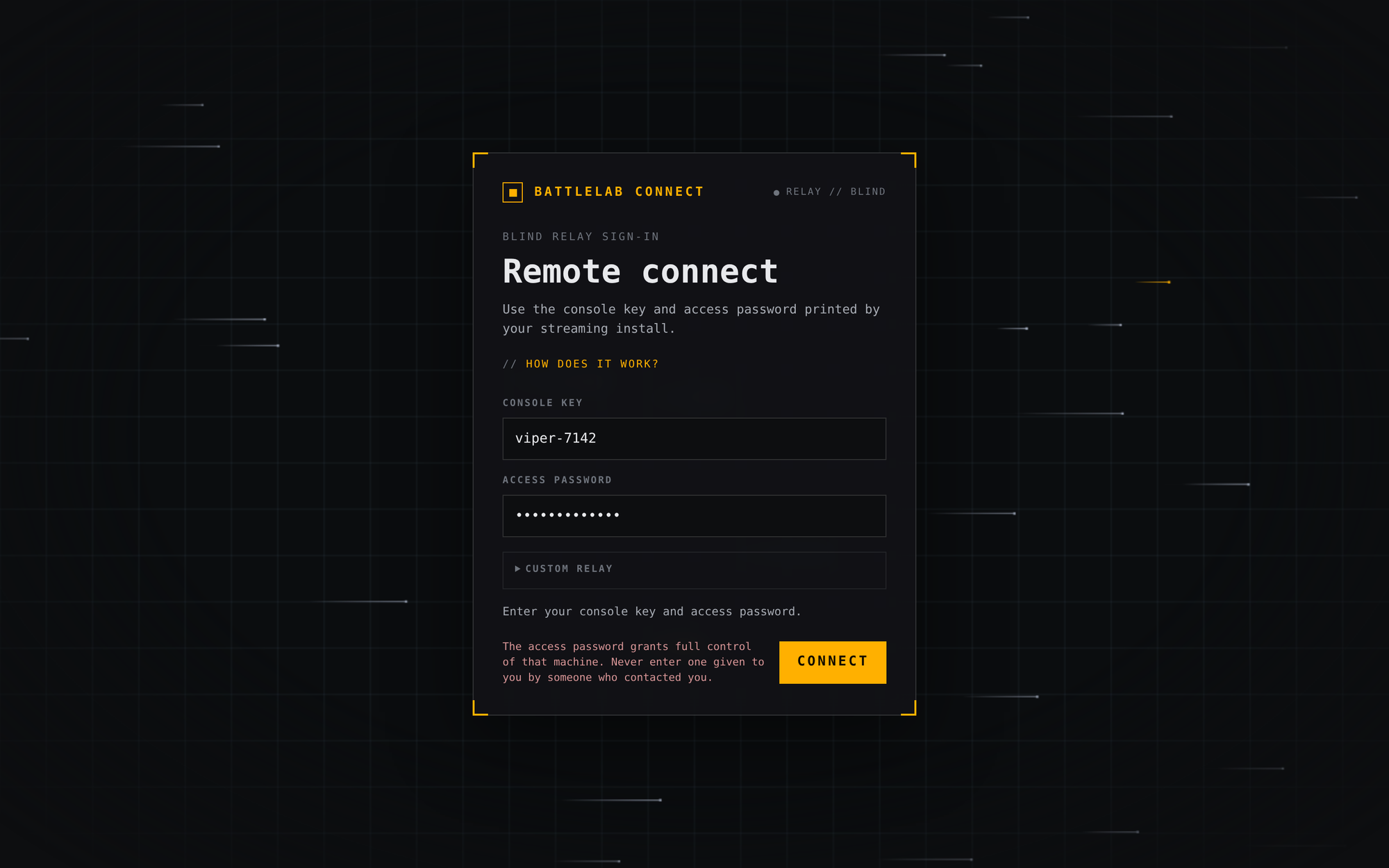
Your dev box usually lives behind a firewall. Home Free changes that: the box dials out to a blind relay, you open battlelab.superstatus.io/connect in any browser, enter the console name and access key, and you're driving the full app — from your phone, on the train, wherever.
It's end-to-end encrypted (X25519 → AES-256-GCM, keyed by your access key); the relay only ever sees ciphertext. No port-forwarding, no VPN, no exposed ports. Just the box reaching out and you reaching in.
Built for your thumb
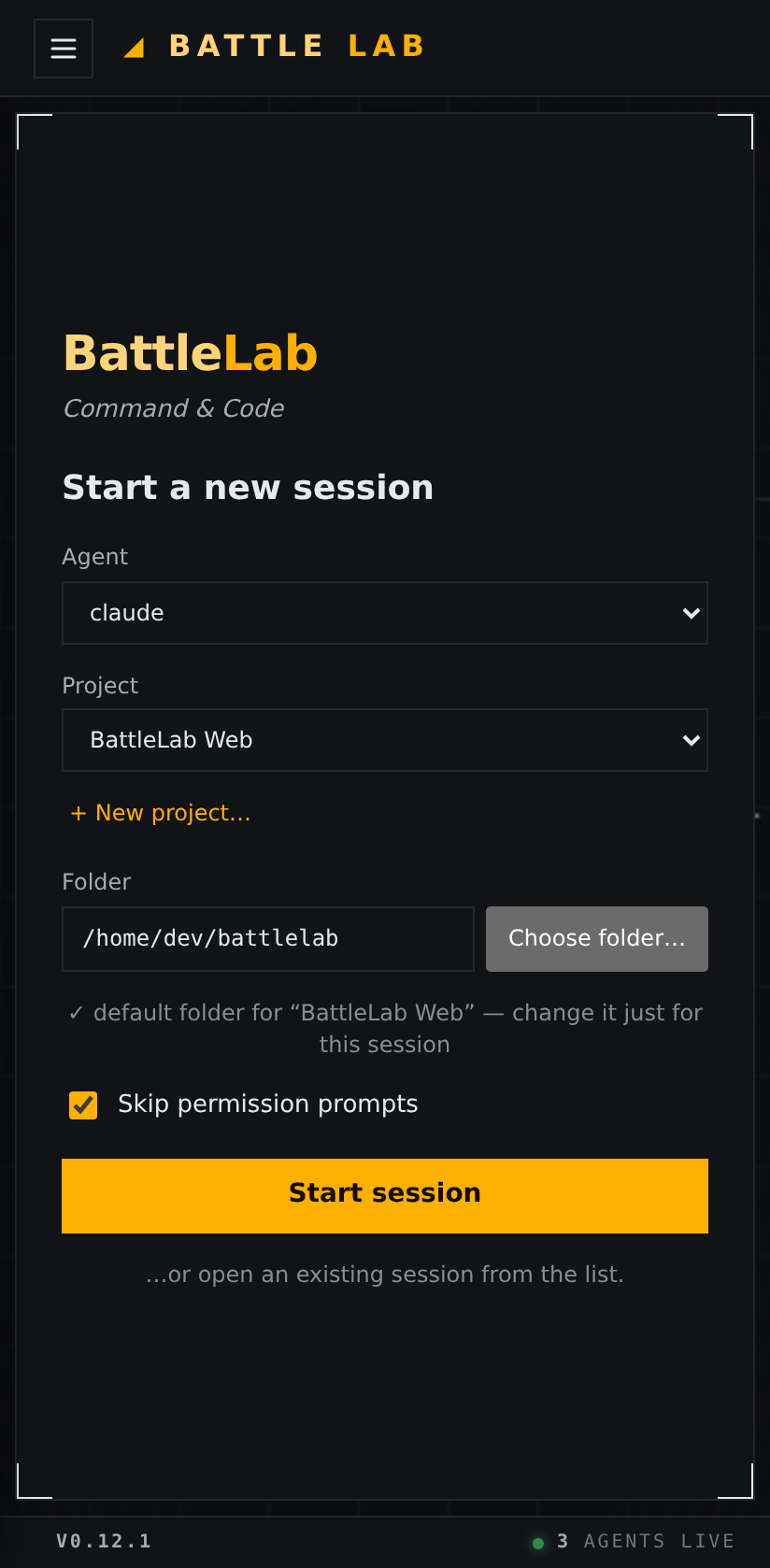
BattleLab is mobile-first, not mobile-tolerated: a real compose bar with control keys and image paste, console-style scroll-back that survives reboots, and thumb-sized touch targets throughout. Drive your whole fleet of agents from a phone.
Self-hosted, open, and yours
BattleLab runs on your hardware — single admin, behind TLS and auth by design, not multi-tenant. It's source-available under the Business Source License 1.1, and one line installs it:
curl -fsSL https://battlelab.superstatus.io/install.sh | bashThree ways to run it: Self-host on your own box, Home Free to stream through the blind relay, or Pro — fully hosted, coming soon.
Command & Code your agents from one deck → battlelab.superstatus.io
// COMMS